
Antivirus is an important line of defense—but it’s not a time machine. When ransomware slips through (and it only needs to succeed once), the damage usually isn’t just a “virus problem.” It’s a resilience problem: can you restore your files, keep working, and avoid paying criminals?
That’s why modern ransomware protection is layered. Antivirus can block known threats and catch suspicious behavior, but the tools that truly save your data when prevention fails are backups, patching, access controls, and smart everyday habits.
Below is a practical guide to building ransomware protection that doesn’t depend on any single tool.
What ransomware actually does (and why it’s so effective)
Ransomware encrypts your files and demands payment for a decryption key. Modern attacks often include double extortion, where attackers steal data before encrypting it and threaten to leak it publicly.
Most infections begin through predictable paths:
- Phishing emails and malicious attachments
- Fake software updates or download prompts
- Stolen or reused passwords
- Unpatched software vulnerabilities
- Malvertising and drive-by downloads
The key takeaway is simple: ransomware is usually the final step in a longer attack chain. Breaking that chain at multiple points is what stops real damage.
What antivirus does well for ransomware protection
A quality antivirus solution plays an important role by:
- Blocking known ransomware strains
- Monitoring suspicious file-encryption behavior
- Preventing access to malicious websites and downloads
- Mitigating common software exploits
This protection stops many attacks early—but it is not foolproof.
Why antivirus alone isn’t enough
Zero-day and stealth attacks
Some ransomware campaigns use new exploits or legitimate system tools that appear normal until encryption begins. These attacks can slip past traditional detection.
Stolen credentials bypass malware defenses
If attackers gain access to your email or cloud accounts, they can spread ransomware or delete backups without installing obvious malware.
Backups are often targeted first
Many ransomware strains actively search for connected backup drives, network shares, and cloud folders and attempt to encrypt or delete them.
Human behavior is still the biggest risk
Urgency, curiosity, and routine shortcuts create openings that no antivirus can fully eliminate.
The layered ransomware protection checklist
True ransomware protection relies on multiple overlapping safeguards.
Layer 1: Backups that ransomware can’t reach
Backups are the single most important defense.
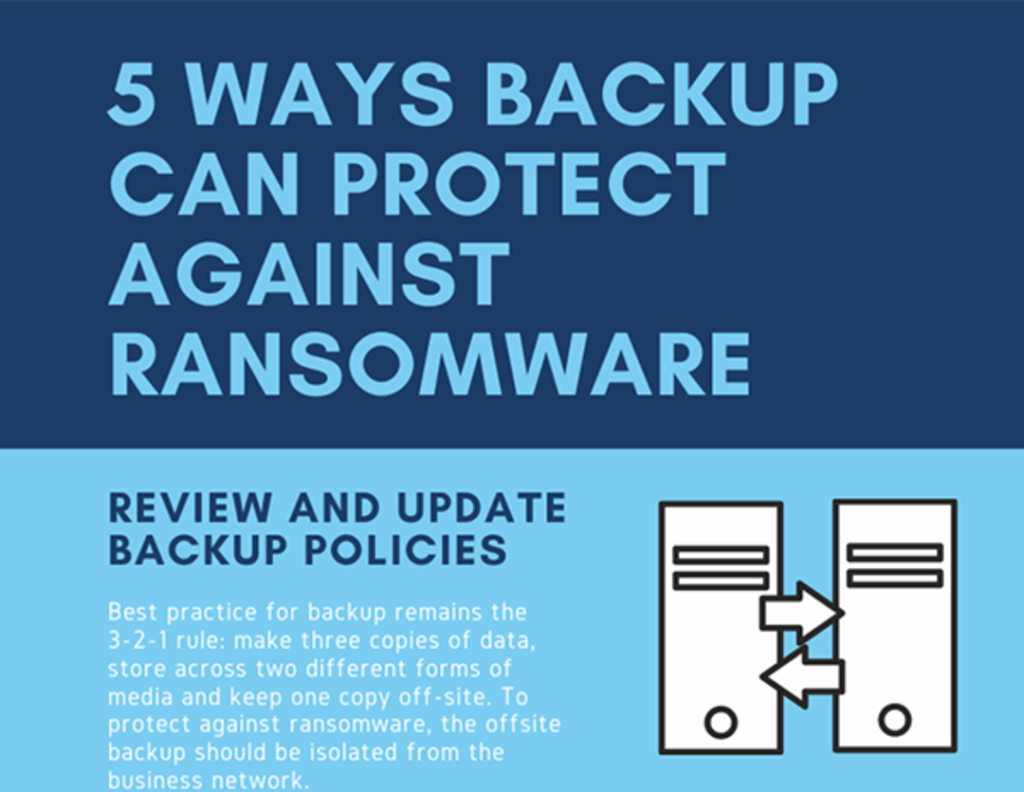
- Follow the 3-2-1 backup rule
- Keep at least one offline or disconnected backup
- Use versioned backups that allow rollback
- Test file restoration regularly
Layer 2: Updates and patching
Many ransomware infections exploit known vulnerabilities.
- Enable automatic OS and browser updates
- Remove unused software
- Keep router and firmware updated
Layer 3: Account security
Credential theft is a major ransomware entry point.
- Use a password manager
- Enable multi-factor authentication on email and cloud accounts
- Review email forwarding and login rules
Layer 4: Smart permissions
Limit how far ransomware can spread.
- Use a standard user account instead of admin
- Restrict shared folders
- Enable controlled folder access where available
Layer 5: Safer email and web habits
- Be cautious with unexpected attachments
- Check links for fake domains
- Treat urgency as a warning sign
- Download software only from official sources
Layer 6: Antivirus and anti-ransomware tools
Antivirus still matters—just not alone.
- Keep real-time protection enabled
- Turn on behavior-based ransomware defenses
- Enable web and phishing protection
- Run periodic full scans
Here is our Malware Evolution article
A simple ransomware protection setup for most users
For home users and small offices, a solid setup includes:
- Automatic system updates
- Password manager and MFA
- One offline backup plus one cloud backup
- A reputable antivirus solution
- Daily use of a non-admin account
What to do if ransomware appears to be starting
If you notice sudden file encryption or strange file extensions:
- Disconnect from the internet immediately
- Isolate other devices on the network
- Avoid repeated reboots
- Contact antivirus or security support
- Preserve evidence if it’s a business system
Paying the ransom does not guarantee recovery and often leads to repeat attacks.
Bottom line
Antivirus is necessary—but it’s not enough. Real ransomware protection comes from resilience: backups you can restore, systems kept up to date, secure accounts, and habits that reduce risk.
When those layers are in place, ransomware becomes a recoverable incident—not a disaster.