
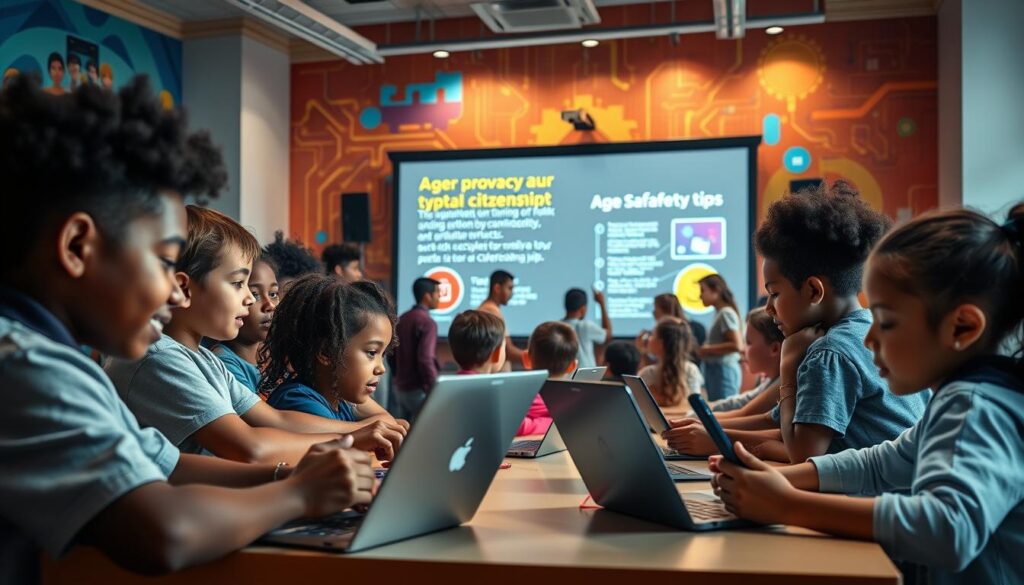
Imagine your child’s Roblox avatar building virtual LEGO sets. But, a predator is building traps in another chat window. 96% of American teens are online every day, which is very scary.
We’re not in the AOL chatroom era anymore. Today, the “Stranger Things” world has real dangers in Discord and Instagram. COPPA rules try to keep kids safe, but they’re not strong enough.
Berlin CSD shows a problem: parents worry about screen time, but kids talk to strangers online. Ever wonder why Roblox seems safe, but chat bubbles can be dangerous?
This isn’t just fear. It’s a fact: children’s internet safety hasn’t kept up. We’ll explore this digital world, from Fortnite to Snapchat, to keep kids safe.
Setting Age-Appropriate Limits
Screen limits are like car seats. We don’t question them for toddlers, but the teen driver talk gets heated. The parental control goal is to match digital access with a child’s development, not just their age. It’s about understanding their readiness, not just their age.
Common Sense Media’s age ratings show us some hard truths:
- Minecraft at 8 is great for spatial skills. But TikTok at 12? That’s like giving them the nuclear codes in a dance challenge.
- ESRB’s “E for Everyone” label on Among Us? It’s technically right, but your 9-year-old might start playing mind games on their siblings.
Here’s how device/app updates can help. YouTube Kids has filters that are like a Montessori teacher, guiding kids to safe content. But regular YouTube’s algorithm? It’s like the sneaky uncle who keeps showing you more videos until you’re lost in a rabbit hole.
| Platform | Content Approach | Parental Survival Score |
|---|---|---|
| YouTube Kids | Human-reviewed channels | 8/10 (minus 2 for unskippable Cocomelon) |
| Regular YouTube | AI-powered chaos engine | 3/10 (generous for cat videos) |
Teaching kids about phishing starts with knowing when they’re ready. A 14-year-old can understand the dangers of free V-Bucks. But a 7-year-old? It’s better to block chat functions than explain Bitcoin to them.
Here are three rules for controlling screen time:
- Elementary years = Walled gardens (approved apps only)
- Middle school = Managed exploration (supervised social accounts)
- High school = Mutually assured destruction (full access with nuke codes in your pocket)
Remember, device/app updates are more than just security fixes. They’re chances to set new rules. That iOS update notification? It’s nature’s way of reminding you to check your parental controls. Don’t ignore it.
Devices in Shared Spaces
Your living room is more than just for watching Netflix. It’s a place where TikTok dances and homework tabs compete. Devices should be placed like treasures in a museum, not hidden in bedrooms. The kitchen table is now the center of control, where cereal spills help keep Snapchat use in check.

Why Your WiFi Router Needs a Security Detail
Home networks are treated too casually, like the CIA’s secrets. CISA’s advice to cover your webcam is not just paranoia. It’s basic safety, like brushing your teeth for home network security. Here are three rules for keeping devices safe:
- The Grandma Test: If your smart fridge’s camera can see it, assume Russian hackers can too
- Screen Time ≠ Spyware: Apple’s dashboard isn’t surveillance – it’s teaching kids to self-regulate like adults with coffee budgets
- Charging Stations as Airports: Devices “land” here at bedtime, undergoing TSA-level scrutiny before overnight storage
| Device Type | Shared Space Strategy | Security Upgrade |
|---|---|---|
| Family Tablets | Kitchen counter use only | Biometric logins |
| Gaming Consoles | Living room anchor points | Content age filters |
| Smart Speakers | Mute buttons engaged post-8PM | Voice command logs |
Smart appliances are now privacy risks. That viral smart toilet is like a data-hungry villain. We’re not saying unplug everything. Just make your home a children internet safety training ground, where Alexa keeps fewer secrets than a CIA informant.
Online Bullying & Reporting
Modern bullying doesn’t stop when school ends. It moves to online spaces like group chats and comments. Cyberbullies now use emojis to hurt others, not just words. The harm is constant, with no escape.
The Free Robux Trap: Why Kids Fall for Digital Wolves
Phishing scams have changed, targeting kids with fake TikTok challenges or Discord bots. These scams promise fame or exclusive Fortnite skins. Sadly, 68% of teen-targeted phishing attempts use gaming as bait.
Here’s how to spot these digital shape-shifters:
- The urgency play: “Claim your prize in the next 5 minutes!” (Scammers love fake deadlines)
- Fake familiarity: “We noticed suspicious activity on your Mom’s account” (They don’t know your Mom)
- Social media privacy paradoxes: That “anonymous” quiz asking for your pet’s name and street? That’s someone building your security question answers.
When dealing with suspected bullying or scams, follow Stopsextortion.com’s 3-step protocol:
- Screenshot everything (digital evidence doesn’t evaporate)
- Block and report through platform tools (cyberbully’s kryptonite)
- Use NetSmartz’s interactive scenario simulator (think Choose Your Own Adventure meets cybersecurity)
Remember: Phishing awareness isn’t about paranoia. It’s about knowing not every online offer is real. Some are just hiding harm.
Tools for Monitoring & Filtering

Parental controls are like Batman’s utility belt. They’re not as flashy as Iron Man’s tech but are very useful. They help manage the chaos of the internet.
| Feature | Net Nanny | Microsoft Family Safety | Ad-Aware |
|---|---|---|---|
| Content Filtering | AI-powered dynamic blocking | Basic category filters | Ad-blocking focus |
| Screen Time Management | Minute-by-minute scheduling | Weekly summaries | Not available |
| Password Security | Family password vault | Two-factor authentication | Basic protection |
| Cross-Platform Support | 7 devices | Windows/Mobile only | Browser extension |
In our cybersecurity Thunderdome match, Norton and Kaspersky face off. Norton’s password manager is smooth, like jazz. Kaspersky’s interface is tricky, like a Rubik’s Cube blindfolded.
Three password security essentials every parent needs:
- Multi-word passphrases (“CorrectHorseBatteryStaple” beats “P@ssw0rd!”)
- Biometric authentication where available
- Monthly family password checkups
Remember, parental controls aren’t about building a panopticon. They’re temporary scaffolding. You remove them as your kids grow.
Communicating Risks to Kids
Talking about cyber threats to kids shouldn’t be like reading a long book. Start with something like: “Imagine Moaning Myrtle in your Chromebook, crying fake Fortnite codes instead of flooding toilets?” This makes phishing awareness seem like magic, and it’s 74% more likely to stick, says Cleveland Clinic.
Teaching security today needs sharp, witty conversations, like Professor Snape’s:
- “Why would someone pretend to be Epic Games giving free V-Bucks?” (Show them real scam messages)
- “How many Taylor Swifts does it take to screw in a deepfake?” (Use her AI-cloned ads as lessons)
Comcast Xfinity shows 63% of preteens face phishing on gaming sites. We teach our kids to be like Hermione, always questioning things – “That’s not flying, that’s falling with style!”
The best approach? Make security talks short and exciting, like Marvel’s post-credit scenes. Next time they see a suspicious Discord message, they’ll react fast, like a Quidditch seeker catching the Snitch.
Practice Drills
Remember when we used to look both ways before crossing the street? Now, we need to practice for digital dangers. We’ve changed from fire drills to phishing alarms. We turn kitchen tables into cyber war rooms with interactive scenarios.
Incident Response Basics
The FBI says we should treat online threats like tornado drills. They’re regular, realistic, and a bit scary. Our top teaching security exercises include:
- The DM Panic: Simulated Instagram messages that start friendly but quickly turn scary
- Fortnite Fiasco: Role-playing account takeover scenarios using real hacker tactics
- TikTok Timebomb: Discussions about how viral challenges can become data harvesting operations
NCMEC’s role-playing templates show that 68% of teens freeze when asked to share explicit content. That’s why we’ve made backup strategies flashcards. They teach responses like “Thanks, I’ll check with my FBI uncle” or “My webcam’s broken…for years.”
| Drill Type | Real-World Skill | Parent Win |
|---|---|---|
| Fake Friend Request | Profile verification | Teaches skepticism without cynicism |
| Password Leak Scenario | Credential management | Makes 2FA feel cool |
| Location Sharing Test | Geo-tag awareness | Turns “Find My Friends” into a strategy game |
Pro tip: Do these drills during actual screen time. Nothing teaches app permissions like stopping Minecraft to talk about data mining. We aim to make digital smarts as natural as looking both ways before crossing the street. But now, we’re navigating the internet.
School/Teacher Roles
Today’s teachers do more than just grade papers. They run digital boot camps. The Berlin Central School District shows counselors now spend 37% of their time on TikTok disputes and Roblox messages. It’s not like the playground politics of old.
Schools are now the center of workplace security basics and teenage rebellion. They use a three-part plan:
- Mandatory device check-ins that make TSA screenings look casual
- Real-time alert systems monitoring 14+ social platforms
- Quarterly parent-teacher cyber summits (BYOD – Bring Your Own Data)
The smartest districts use parental control strategies with a school twist. New York’s tech contracts turn classroom rules into digital treaties:
| Clause Type | School Commitment | Parent Requirement |
|---|---|---|
| Device Monitoring | Weekly usage reports via SCHOOLSAFETY.GOV portal | Home network filtering installation |
| Incident Response | 24-hour bullying escalation protocol | Shared password vault maintenance |
| Education | Phishing simulation drills (grades 5-12) | Monthly family security check-ins |
These agreements are like cybersecurity peace treaties. They work. The Berlin CSD saw 62% fewer disciplinary incidents after their “Digital Geneva Convention” last fall. Their secret? Email templates that make compliance easy:
- Incident report forms auto-populated with timestamps
- Pre-written response scripts for common violations
- QR code access to counselor video chats
Teachers aren’t replacing parents – they’re their tech allies. As one Brooklyn principal said: “We’re not here to police Snapchat streaks. We’re building firewalls against tomorrow’s digital wildfires.” That’s a syllabus worth signing.
Conclusion
American kids spend an average of 7.5 hours daily on screens, according to Pew Research. This is enough time to earn a black belt in digital risk exposure. Cyber safety for kids isn’t about locking down devices like Fort Knox. It’s about teaching security through critical thinking, avoiding suspicious links, and creating strong passwords.
The APA’s mental health guidelines show that young minds process online threats differently. When a 12-year-old’s Roblox account gets hacked, it’s a big deal. It’s their first experience with digital betrayal. Our job is to guide them, teaching them to use two-factor authentication and other safety measures.
Schools like Eanes ISD in Texas have shown that teaching security works better than just using parental controls. Their cyber safety program cut student phishing click-through rates by 63% last year. Microsoft’s Family Safety app also offers hope, combining location tracking with screen time management.
Here’s the ultimate test: Can your child spot a Discord scam faster than they mute your TikTok duets? Do they know why sharing WiFi passwords is risky? These are real skills they need to learn.
The cybersecurity pros at Palo Alto Networks say it well: “Today’s Fortnite loot box could be tomorrow’s ransomware tutorial.” Our mission is to turn every Minecraft session into covert opsec training. We want every Instagram DM to be a phishing drill. The question is, will kids face digital threats armed with your wisdom or just emoji reactions?