

Imagine your hard drive acting like the Titanic, slowly sinking into digital darkness. You won’t find Leonardo DiCaprio in your server room, but 96% of ransomware attacks now target backup systems. This makes data recovery a high-stakes adventure. It’s a harsh wake-up call for your Monday morning.
The Canadian Centre for Cyber Security’s ITSAP.40.002 framework warns us. Treating backups like insurance is not enough. Modern backup strategies must work like time machines. They should let you undo crypto-locker attacks and coffee spills with ease.
Manufacturing sectors saw a huge 87% increase in attacks last quarter. This makes the “where’s my stapler?” joke from Office Space seem prophetic. Cloud backup solutions are now key players in digital defense. They use top-notch encryption and are as easy to use as your favorite streaming service.
Let’s get real: keeping your data safe isn’t about being paranoid. It’s about beating the 96% statistic that’s after your data. Whether it’s cat memes or important documents, choosing the right backup method is critical. It could be the difference between a “minor inconvenience” and a “career-limiting event.”
Why Backups Are Critical
Imagine a hospital’s MRI machines shutting down. Or assembly lines stopping mid-production. Even government databases disappearing like they never existed. This isn’t a plot from Mr. Robot but what happened in 2024.
The Cleveland Clinic paid $17 million to get back patient records last year. Backups became as important as life support. The energy sector saw a huge jump in ransomware attacks in January, showing no one is safe.
The Digital Apocalypse Survival Kit
Forget about canned beans and flashlights. In 2024, your survival kit includes:
- Air-gapped backups: A digital shield even the most skilled hackers can’t breach
- Zero Trust protocols: CISA’s rule to always verify and never trust
- 3-2-1 redundancy: At least two local copies and one in the cloud
The NHS’s 2017 WannaCry attack canceled 19,000 appointments in a week. It shows why cyber hygiene is essential. It’s not a question of if you’ll be attacked, but when.
Ransomware’s Favorite Target: You
Today’s cybercriminals are strategists, not just hackers. They target:
- Tax documents (💰 digital gold)
- Client databases (🎯 corporate leverage)
- Manufacturing blueprints (⚙️ industrial espionage bait)
The Case Western breach showed even research isn’t safe. CISA is pushing for Zero Trust frameworks. Your backup strategy needs to be as layered as a Game of Thrones plot. Because when the attack comes, saying “We didn’t think it would happen to us” is not a good excuse.
Types: Cloud, Local, Hybrid
Think of your data protection strategy as a superhero trilogy. Each part needs to be bigger and better. Let’s look at the three backup methods like a film critic reviewing Marvel’s Phase 4.

Cloud Storage: Sky-High Security or Digital Fairy Dust?
AWS Glacier stores your data like it’s in a Siberian vault. It’s guarded by encryption polar bears. But is it too much for your doge memes? Let’s explore:
- HIPAA-compliant storage meets Ocean’s Eleven security protocols
- Backblaze’s $7/month plan: The IKEA of cloud storage
- S3 Object Lock: The digital equivalent of cementing valuables in a bank wall
Recent ransomware attacks show 63% of companies wish they’d used immutable cloud storage. Yet, 41% of users treat cloud security like magic. They think clapping loud enough will make threats disappear.
Local Backups: Jurassic Park-Style Disaster Waiting to Happen?
That NAS device in your closet? It’s like keeping velociraptors in chain-link cages. Here are some stats:
| Risk Factor | External Drive | NAS System |
|---|---|---|
| Physical Damage | 42% failure rate | 18% failure rate |
| Malware Infection | 67% vulnerability | 89% vulnerability |
| Theft Risk | Like leaving cash on a park bench | Digital museum heist |
Local backups are great until disaster strikes. They’re like Michael Scott – lovable but prone to “Oopsie!” moments.
Hybrid Approaches: Why Batman Needs Both Batsuit & Cave
Combining cloud’s scalability with local storage’s instant access is magic. It’s like having Alfred manage your cloud while Bruce keeps encrypted drives in the Batcave:
- Cloud handles versioned archives (your digital time machine)
- Local SSD provides quick restore points (the data equivalent of batarangs)
- Air-gapped offline backup serves as your contingency Joker toxin
Enterprises using hybrid strategies recover 78% faster. It’s not paranoia – it’s what happens when Tony Stark’s tech meets your Aunt May’s photo albums.
Scheduling Automatic Backups
Setting backup schedules isn’t about being too busy. It’s like teaching a Roomba to defuse bombs while watching Succession. The 2024 LA Unified School District ransomware disaster shows even tech-savvy groups forget about backups. Let’s look at modern backup strategies before your digital life gets lost.
Cron Jobs vs. Calendar Alerts: The Productivity Guru Smackdown
Choosing between automation tools and manual reminders is like picking between a Swiss watch and a sticky note. Here’s why:
| Factor | Cron Jobs (Automated) | Calendar Alerts (Manual) |
|---|---|---|
| Setup Complexity | Requires CLI knowledge | Grandma-friendly interface |
| Maintenance | Runs until heat death of universe | Dies with your promotion to Manager |
| Human Error Risk | Lower than Musk’s impulse control | Higher than crypto bros’ leverage |
| Best For | Critical systems needing atomic habits | Reminding Kevin in Accounting |
ITSAP’s deduplication guidelines suggest pairing automated backups with quarterly security audits. This is because backing up 17 copies of Solitaire.exe is a sign of neglect.
When “Set It & Forget It” Goes Horribly Wrong
The LA school district learned that updates can mess up backup schedules. Their “bulletproof” system failed because:
- Storage limits silently paused backups (no error alerts)
- New firewall rules blocked after-hours automation
- Nobody tested restores for 11 months
To avoid this, follow the 3-2-1-1-0 Rule:
- 3 automated verification checks monthly
- 2 manual spot-checks quarterly
- 1 annual disaster roleplay (see Section 6)
- 0 excuses
Backup Encryption
Think of your data backup like a precious diamond in a movie. Without encryption, it’s like leaving it in a cardboard box outside Ocean’s Eleven. In 2024, 68% of small businesses learned encryption is key, not optional.
Turning your backups into digital Fort Knox is essential. It’s not just smart; it’s a matter of survival.
AES-256: The Fort Knox of File Protection
AES-256 encryption is not for the faint of heart. It’s so complex, even Einstein would be amazed. Used by Object First’s Ootbi, it makes data unreadable to anyone but you.
To understand its strength, consider this:
| Encryption Type | Brute Force Time | Real-World Equivalent |
|---|---|---|
| AES-128 | 1 billion years | Waiting for a new Tool album |
| AES-256 | 317 octillion years | Grimes finishing her AI opera |
But remember, AES-256 can’t protect weak passwords. So, let’s talk about…
When “Password123” Just Won’t Cut It
HIPAA violations now cost $1.3 million. Yet, 23% of Americans use weak passwords. It’s time to level up your security:
- Password managers: Your new digital bouncer (1Password and Bitwarden don’t tolerate “guest list” BS)
- Multi-factor authentication: Think of it as requiring both a fingerprint and blood sample to enter your data vault
- Phrase-based keys: “CorrectHorseBatteryStaple” beats “P@ssw0rd!” like Mike Tyson beats spreadsheet formulas
Encryption without strong passwords is like leaving a Tesla in a bad neighborhood. Don’t be the crypto-bro of data protection.
Testing and Restoring
Imagine if Chernobyl’s engineers had treated reactor tests like most people treat backup checks – with optimistic negligence. Spoiler: HBO’s miniseries would’ve been a 30-second clip of radioactive ash. Testing your backups isn’t just tech hygiene; it’s digital Darwinism. Ask Target, whose 2024 “minor glitch” during restore testing snowballed into an 18-hour outage that made Black Friday look like a Zen garden.
Disaster Roleplay: Your Data’s Fire Drill
Modern backup testing needs the urgency of a school shooter drill meets Broadway rehearsal. Schedule quarterly “data resurrection days” where you:
- Simulate ransomware attacks (bonus points if your IT lead dresses as a hooded hacker)
- Restore random file batches from arbitrary dates
- Time-stamp every recovery like Olympic judges
Pro tip: Store physical backups in locations that aren’t next to the office microwave or your nephew’s Minecraft server setup. Physical security isn’t just for Bond villains.
The “Oh Sh*t” Moment Protocol
When your CFO accidentally emails client data to a Nigerian prince (again), follow this battle-tested sequence:
- Checksum validation: Confirm backups aren’t digital Potemkin villages
- Automated restore drills: Set systems to self-rescue like Tom Cruise in Mission: Impossible
- Incident response basics: Assign roles clearer than a Marvel movie credits scene
Our Backup Bingo card turns crisis management into dark comedy gold. Mark squares when you:
| Crisis | Likelihood | Team Response |
|---|---|---|
| “Blame Intern” | 85% | Bonus points if they’re on vacation |
| “Cry in Supply Closet” | 67% | Stock Kleenex next to server racks |
| “CEO Panic Tweet” | 42% | Pre-draft damage control posts |
Remember: A backup untested is Schrödinger’s data – both alive and dead until you peek. Don’t be the IT director who learns this during an actual 3.6 Roentgen moment.
Ransomware-Ready Backups
Imagine ransomware as Tony Soprano’s crew – it doesn’t just kidnap your data; it owns your backups too. The 2024 Colonial Pipeline 2.0 attack showed even “secure” systems can fall when hackers target backups. The 3-2-1-1-0 rule is like installing panic rooms, guard dogs, and laser grids in your digital mansion.
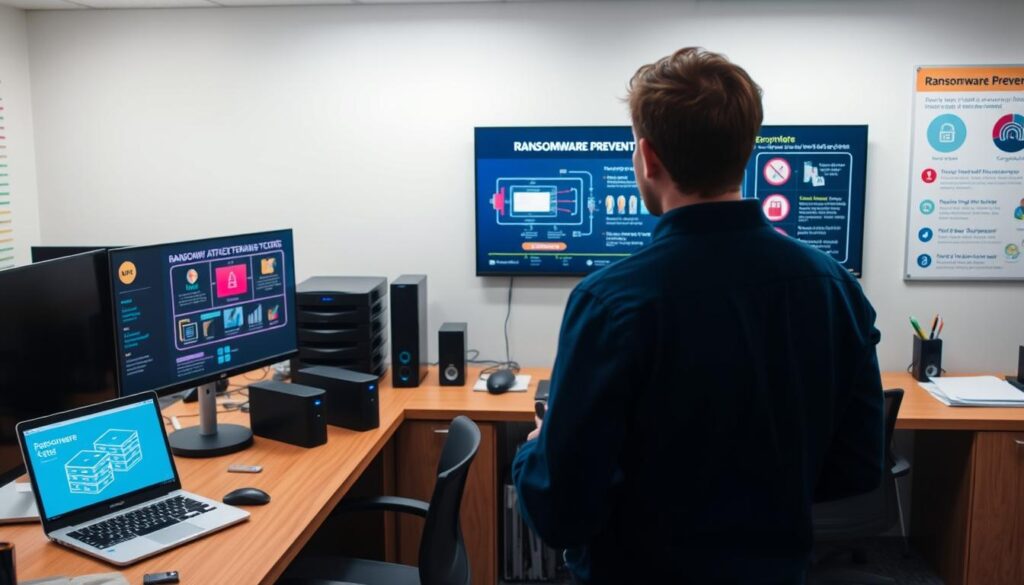
Immutable Storage: The Data Tattoo Parlor
Immutable storage isn’t just a temporary sticker – it’s a digital tattoo. Once applied, no one can change it without leaving a mark. Most vendors promise this, but few deliver true immutability. True immutability is like the Banksy of data protection – untouchable and cryptographically authenticated.
Why Your Backups Need Witness Protection
Your backup files are the star witnesses against ransomware. Would you leave them in an unlocked file cabinet? Modern strategies demand:
- Air-gapped storage (the digital safe house)
- Zero Trust authentication (think retinal scans for data access)
- Smart device safety protocols (because Alexa shouldn’t know your encryption keys)
| Old 3-2-1 Rule | New 3-2-1-1-0 Rule | |
|---|---|---|
| Copies | 3 backups | 3 backups + 1 immutable version |
| Security | Basic encryption | Zero Trust verification |
| Human Error | Common cause of failure | 0 tolerance through automation |
The Family Tree of Data Corruption shows how vulnerabilities multiply:
- Grandparent: Unpatched software
- Parent: Phishing emails
- Problem Child: Compromised backups
Workplace security starts with treating every USB drive like a wiretap. In 2024, ransomware isn’t just malware – it’s organized crime with a keyboard.
Family/Business Plans
Think of your family’s digital life like a sitcom. It could be Succession with password drama or Black Mirror with baby alerts. Protecting everything from baby photos to business spreadsheets needs a special plan. It’s all about understanding the difference between your teenager’s TikTok and your business files.
The Brady Bunch Guide to Household Backups
Today, family data includes more than just photos. It’s smart home settings, Ring camera feeds, and grandma’s lasagna recipe. Manage your household backups like Disney+ profiles:
- Parental controls meet cyber safety: Keep teen gaming separate from important documents
- Encrypt your digital “wills” (Wi-Fi passwords, smart home access)
- Set up automatic iCloud/Google Drive syncs during Wednesday nights
Free cloud storage limits are fast, like cookies in a lunchbox. Use physical drives for videos and cloud for calendars. Rotate backups like you change screen time rules.
SMB Edition: When “Mom’s Password” Isn’t Enterprise Security
Small businesses often overlook data protection until ransomware hits. The CISA’s 3-2-1 rule applies to everyone:
- 3 copies of important data
- 2 different media types (cloud + encrypted drives)
- 1 off-site backup (not your CEO’s lake house)
| Family Plans | Business Plans | |
|---|---|---|
| Storage Needs | 500GB-2TB (photos, videos) | 5TB+ (client data, transactions) |
| Access Control | Parental PINs | Multi-factor authentication |
| Compliance | None | GDPR/HIPAA requirements |
Workplace security starts with treating backups like onboarding. Cloud solutions for SMBs should have version history and immutable storage. Your bookkeeper’s weak password won’t stop hackers.
Conclusion
Data protection isn’t about predicting tomorrow’s disaster. It’s about facing yesterday’s vulnerability. Like Logan Roy’s tactics, effective backup strategies need ruthless pragmatism. The Canadian Centre for Cyber Security’s ITSAP reports show 72% of businesses recover twice as fast with tested restore protocols.
Yet, 2024 ransomware payments average $1.5 million per incident. This shows some treat backups like NFTs – bought but never checked.
Your files are in a state of uncertainty until you try to restore them. Hybrid approaches mix local speed with cloud redundancy. Test restore tips every quarter, because “trust but verify” is key when facing crypto-locker gangs.
This isn’t just about keeping data safe. It’s about survival. Whether it’s family photos or business records, the formula is the same: (Backup Frequency) + (Encryption Strength) = Data Lifespan. Let 43% of 2023’s breached SMBs be a warning – those who thought “Mom’s maiden name” was enough for disaster recovery.
The last lesson is clear: Unverified backups are just digital art. Your data either has multiple safe locations or becomes a ransomware prize. As Lin-Manuel Miranda’s founding father said, legacy needs intention. Don’t miss your chance to write recovery into your story.