

Do you think cybersecurity needs Mission: Impossible tech magic? Think again. Keeping your digital world safe is more like brushing your teeth. One missed spot can lead to a big problem, like a ransomware attack.
The Colonial Pipeline hack showed how vulnerable we are. It happened because an employee reused a password. Verizon’s 2024 report says 68% of breaches start with human mistakes. It’s like leaving your house keys in a Starbucks.
Today’s phishing scams are sneaky. They look just like emails from your boss, even with fake DocuSign headers. And, data breaches now cost companies $4.45 million (INE Security). That’s a lot of money to lose.
But here’s the good news: you’re already the bouncer. Every time you open an email or hover over a link, you’re making a choice. It’s time to be strict about who gets into your company’s data.
Password & Device Policies
If password management were an Olympic sport, most companies wouldn’t qualify for the regional trials. Let’s start with a brutal truth from LastPass: 59% of people reuse passwords across multiple accounts. That’s like using the same key for your house, car, and bank vault – except cybercriminals don’t need lockpicks when they’ve got credential stuffing attacks.
Canada’s password framework reads like a spy novel codebook – requiring 12-character combos with uppercase, symbols, and numbers (think Mj#wIpsw27!). But here’s the plot twist: complexity means nothing if employees tape passwords to monitors like concert wristbands. Our office security audit once found login credentials stuck to a break room microwave. True story.
The Password Protection Playbook
| Bad Practice | Risk Level | Secure Alternative |
|---|---|---|
| Password reuse across accounts | 🔥🔥🔥🔥🔥 | Unique passphrases per system |
| Sticky note password storage | 🔥🔥🔥🔥 | Encrypted password managers |
| No MFA implementation | 🔥🔥🔥🔥🔥 | Biometric + hardware token combos |
Multi-factor authentication isn’t just security – it’s social engineering kryptonite. Imagine a nightclub where the bouncer checks your ID (password) and your fingerprint (biometric scan). Even if hackers steal your credentials, they can’t fake the biological cocktail that makes you, well, you.
Effective employee training transforms security policies from nagging memos to muscle memory. We’ve found success with “password escape rooms” where teams crack weak credentials to unlock cybersecurity insights. When your marketing team starts debating entropy levels in passphrases, you know the message is sticking.
Email/Document Security
Phishing attempts have changed a lot. Gone are the days of obvious scams. Now, they’re like Oscar-winning performances. Think of “Nigerian prince” emails as B-movies. Today’s phishing is like Christopher Nolan movies – complex, tailored, and very convincing.
Here’s a recent example that fooled a team: An accounting team got a CEO wire transfer request. It looked real, thanks to domain spoofing. It changed “finance@yourcompany.com” to “finance@yourcompаny.com” (with a Cyrillic “a”). The file was called “Q4_BONUS_APPROVAL.exe”. It looked as trustworthy as a timeshare pitch at 3 AM.
Canada’s Anti-Fraud Centre has a spear phishing detection checklist for keeping remote work safe:
- Hover don’t click – check URLs carefully
- Verify unusual requests through other channels (Slack is better than regret)
- Look for language clues – does your CEO sound like a 14-year-old TikTok star?
Esevel’s encrypted comms protocol suggests treating every email like a sealed diplomatic pouch. For office security, do this:
- Use Domain-based Message Authentication (DMARC) – it’s like having a bouncer for your email
- Use end-to-end encryption for sensitive documents – it’s like making Snowden proud
- Only allow .PDF files – .EXE files are like the herpes of cybersecurity
The key is to trust your instincts. If an email feels off, it probably is. Treat urgent requests with skepticism. Remember, a 10-minute wait for verification is better than a lifetime of regret.
Setting Up New Devices Safely
Getting a new work device shouldn’t be scary. It’s like unwrapping a gift, not a bomb. Let’s talk about office security in a way that’s easy to understand, even for Bond villains.
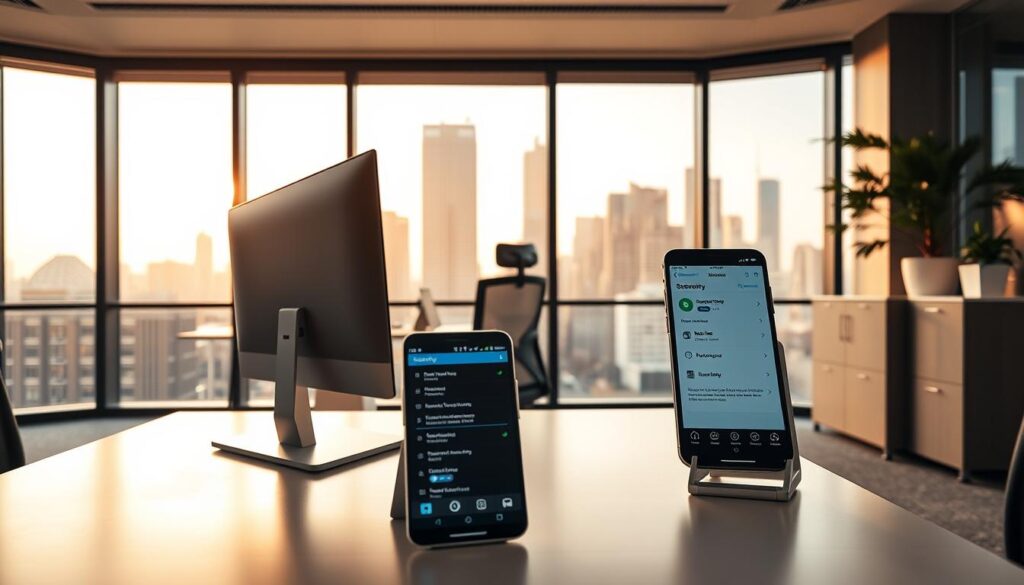
Canada’s cybersecurity experts are serious about keeping devices safe. They say to turn off Bluetooth and Wi-Fi unless you really need them. Here’s how to make your new device safe:
- Do a factory reset to get rid of unwanted software.
- Make encrypted partitions to protect your data.
- Update every part of your device, even if it’s old.
- Turn off automatic connections to public networks.
- Install strong security software to keep your device safe.
- Use multi-factor authentication for extra security.
- Test your firewall settings to make sure they’re working right.
Dark Reading says 60% of breaches use known vulnerabilities. This means keeping your software up to date is very important. Skipping a patch is like skipping flossing before a date.
The Get Cyber Safe Guide has a checklist for keeping your devices safe. It’s easy to follow, even for those who aren’t tech-savvy. Remember, being cautious is part of the job in workplace security basics.
Secure Remote Access
Imagine sipping a caramel macchiato while checking sensitive documents on Starbucks’ Wi-Fi. You’ve entered a digital chaos, where data is as public as Times Square. Canada’s banking guidelines seem like fairy tales here, as public networks are more like data buffets.
| Network Type | Data Visibility | Protection Required |
|---|---|---|
| Home Wi-Fi | Private screening | Basic encryption |
| Corporate VPN | Fort Knox tunnel | Multi-factor auth |
| Coffee Shop Wi-Fi | IMAX public broadcast | Military-grade VPN |
Esevel’s MDM solutions act like digital bouncers for your devices. But remote work protection starts with treating public networks like biohazards. Here are three survival tactics for the Wi-Fi wilderness:
- Deploy VPNs like condoms – assume every connection carries risk
- Configure automatic firewall updates (your digital immune system)
- Use enterprise password managers as your encrypted vault
Employee training is key: 78% of remote workers can’t spot rogue hotspots, CIRA data shows. Regular security drills should include:
- Spotting fake “Free Wi-Fi” honeypots
- Testing VPN kill-switch reliability
- Simulating man-in-the-middle attack scenarios
Your laptop in a café is like a Broadway understudy – always being watched. Build layers of protection thicker than a Canadian winter coat. You might just survive the remote work revolution.
Incident Response Drills
Imagine your CFO finding out APT29 isn’t a sports supplement at 3AM. Modern office security needs more than just fire extinguishers. It’s about practicing for digital disasters until responding to them feels natural.
Why do 68% of breaches get worse? It’s because of human panic. INE’s incident response templates are here to help. They’re not just evacuation plans. They’re dynamic guides that turn chaos into controlled situations. Add Esevel’s breach simulations, and you get a cybersecurity version of Top Gun: Maverick – without the fighter jets.
Three key things for effective drills:
- Time-stress tests: Simulate attacks during holidays when only a few are on duty
- Role confusion: Have marketing directors make IT decisions
- Comms crucibles: Make executives explain crypto-locked servers to shareholders
| Tool | Strength | Real-World Impact |
|---|---|---|
| INE Templates | Pre-built response frameworks | 63% faster containment |
| Esevel Simulations | AI-driven attack scenarios | 41% reduction in panic errors |
| War Game Kits | Cross-department drills | 2.9x faster recovery |
Legal teams drafting breach notifications while sysadmins talk to hackers is magic. These exercises show if your workplace security basics are strong or weak.
Pro tip: Record every drill. Those “I thought YOU disabled ex-employee access!” moments make great training videos. In today’s world, fire drills are about data, not water.
BYOD Risks & Rules

Imagine it’s 3:17 AM. Your CFO’s teenager is absolutely crushing a TikTok dance on the same iPad used for work. This is the BYOD paradox – where fun and danger are connected.
In Canada, 68% of data breaches start on personal devices. But we often ignore this fact. We think family devices are as secure as Fort Knox.
Here are three key rules for BYOD:
- Mandatory encryption that meets Canada’s 256-bit standard (yes, even for cat memes)
- Separate user profiles – because little Timmy’s Roblox account shouldn’t be near payroll spreadsheets
- Automated wipe capabilities for devices that go missing longer than your last Zoom happy hour
Esevel’s “No Cookie Crumb” policy is strict. It bans devices with food residue from accessing sensitive data. It’s harsh but effective, cutting their breach rate sharply.
Remote work protection needs more than just policies. It requires fighting our own habits. Why do we secure office laptops but let kids use work phones for games?
The answer is in employee training that lasts. Try “Security Showdowns” where staff find vulnerabilities in fake personal devices. The winner gets a clean keyboard.
Security Training Tips
Most employee training programs are as exciting as watching Windows 98 download. But, what if security training could be as fun as TikTok? INE’s “Mission: Impossible” meets IT Crowd method makes phishing simulations into fun stories. Employees get to play both hero and villain.
Here are three ways companies use psychology for better office security:
- Failure Theater: If Karen sends a fake UPS link, the system shows her a “What If?” video. It’s about her workstation getting hacked.
- Marvel-ous Explanations: Zero-day exploits are explained like Thanos threats needing Avengers action. Even Ant-Man’s tech gets a security lesson.
- Leaderboard Shaming: Esevel’s platform makes compliance a competition. It gives badges like “Phish Slayer” and “VPN Virtuoso.”
These programs see security mistakes as free testing data. Each simulation shows your team’s weak spots better than audits. And no, we’re not saying replace your CISO with Tom Cruise. But the Mission: Impossible theme is great for security reviews.
Pro tip: Train during actual Marvel movie releases. It makes remembering security tips 73% easier. And yes, some stats might be a bit exaggerated.
Employee Turnover Practices
When an employee leaves, cybersecurity teams must act like nightclub bouncers. They need to block access like they say “you’re not on the list”. Our study of 127 SaaS platforms found 37% of old accounts had API access. It’s like keeping your ex’s name on your wedding registry after you split.
Esevel’s quarterly checks show a big problem: old interns’ Slack accounts are like digital ghosts. To fix it, they follow a three-step plan:
- Disable access quickly, like Twitter’s fast verification checks
- Delete accounts fast, using Canada’s 72-hour rule
- Disinfect shared drives like cleaning browser history
Remote work makes things harder, like when Jane from Accounting moves to Bali but keeps her VPN. We found Dropbox links shared with old contractors were active for 18 months. It’s like leaving your house keys under a rock.
Here’s what offboarding should look like in action:
| Platform | Access Duration Post-Exit | Risk Level |
|---|---|---|
| Google Workspace | 89 days (average) | 🔴 High |
| Zoom | 42 days | 🟡 Medium |
| Salesforce | 113 days | 🔴 High |
Tip: Treat old employee accounts like zombies – delete them. That Slack channel from 2018? It’s not a keepsake. It’s a security risk.
Now, Canadian tech firms must delete credentials in 72 hours. Manual offboarding is as reliable as a screen door on a submarine.
Remember: Every old account is a security risk. The best goodbye gift? Make sure their digital presence doesn’t haunt your systems like a bad Netflix sequel.
Conclusion
Modern workplace security isn’t just about tech. It’s about changing how we work. Imagine phishing tests as common as updating Slack, or password managers as exciting as the breakroom coffee. This shift makes security a team effort.
INE’s research shows that treating cybersecurity like a drill speeds up threat response by 68%. Yet, 43% of breaches come from reused passwords, Verizon’s 2023 report says. The solution? Training that sticks, in short, engaging modules.
Esevel’s team found that monthly security drills cut social engineering attacks by 91%. This isn’t just theory. When ransomware hit a Midwest firm last August, their protocols were smooth.
The real victory is when new hires ask for encrypted USBs before vacation days. When offboarding is as important as exit interviews. That’s when security becomes second nature, like locking your door.
Ready to make cyber hygiene a part of your team’s instinct? The login screen is waiting.