
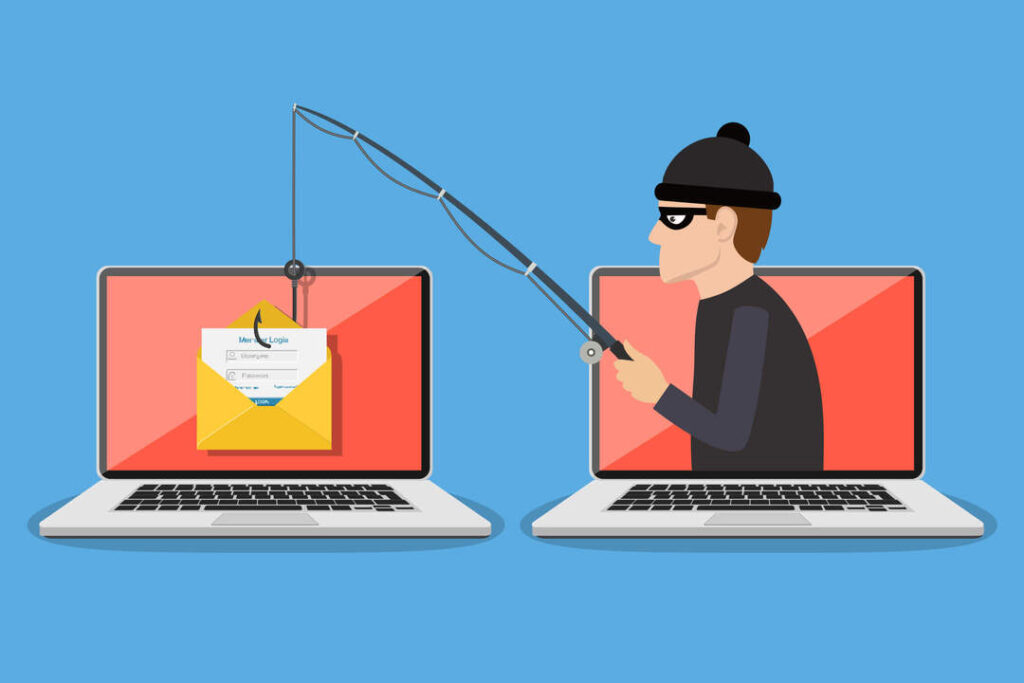
A few years ago, most phishing emails had the subtle charm of a spammy billboard: bad grammar, weird links, and a sense that the sender learned English from a microwave manual. You could spot them from orbit.
Now? Phishing has gotten… polished. The messages look like real invoices, real shipping notices, real IT alerts, and real “quick question” emails from a boss or coworker. That’s not your imagination. Security teams and law enforcement keep reporting phishing as one of the most common cybercrime categories, and the money flowing to scammers is still huge. (Federal Bureau of Investigation)
So what changed? In short: attackers learned to work around spam filters, work around multi-factor authentication, and work around your instincts. Let’s break down the biggest shifts and what you can do about them as an average PC owner.
How Phishing Evolved From “Obvious” to “Convincing”
Old-school phishing relied on volume. Send a million bad emails and hope a few people click. Modern phishing often relies on credibility. The attacker wants you to feel like clicking is the normal, responsible thing to do.
Two major forces pushed this evolution.
First, email security got better. Big providers block a ton of junk before you ever see it. Google has publicly said Gmail blocks more than 99.9% of phishing and malware attempts from reaching users. (blog.google)
Second, people adopted stronger logins like MFA. That’s good for you—but it forced criminals to get more creative. Microsoft notes that as MFA and modern protections spread, phishing techniques have adapted to defeat newer authentication flows. (Microsoft)
“Good English” Isn’t a Green Flag Anymore
One of the easiest tells used to be sloppy writing. Today, phishing can be written clearly, match a company’s tone, and even include the right formatting and signature style.
Attackers don’t need to be great writers anymore; they can borrow templates, copy real corporate emails, and increasingly use AI to improve lures and even hide malicious code. Microsoft Threat Intelligence has described phishing activity that likely used AI-generated code to obfuscate what it was doing and evade defenses. (Microsoft)
The result is simple: you can’t rely on “it sounds professional” as proof it’s safe.
The New Tricks: What Smart Phishing Looks Like in 2025
Modern phishing isn’t just “enter your password here.” It’s often about getting you to take one small action that leads to account takeover.
QR Code Phishing Moved the Attack Off Your PC Screen
A big shift is phishing that uses QR codes. Instead of clicking a link on your computer (where some protections might catch it), the email tells you to scan a QR code with your phone. That can bypass certain email filters and gets you onto a mobile browser where you’re more likely to move fast and type without thinking.
The APWG’s Q1 2025 trends report includes data from Mimecast showing a massive volume of malicious QR codes seen in email attachments, including more than 1.7 million unique malicious QR codes over a six-month window and millions of QR-code emails per day on average. (APWG Docs)
If you’ve ever thought, “QR codes feel safer than links,” scammers are counting on that.
Attackers Target the Login Process, Not Just the Password
MFA (like a text code or app approval) used to feel like a cheat code for safety. It’s still helpful—but criminals have adapted.
One technique Microsoft calls out is adversary-in-the-middle (AiTM) phishing: the attacker uses a proxy that sits between you and the real login page, capturing what you type and potentially grabbing session tokens so they can log in as you even if you have MFA. Microsoft notes the rise of AiTM as MFA adoption grows and highlights how phish kits and phishing-as-a-service make these attacks easier to deploy. (Microsoft)
In plain English: some phishing pages don’t just steal your password—they try to steal the “proof” that you already logged in.
“Device Code” and OAuth Phishing: Abusing Legit Login Screens
Another modern twist is phishing that uses legitimate authentication flows against you. Recent reporting highlights a surge in OAuth device code phishing used to take over Microsoft 365 accounts, where victims are tricked into entering a device code on a real Microsoft page—effectively granting the attacker access. (IT Pro)
This is why modern scam emails can feel extra convincing: they may send you to a real brand’s real page. The trick is what they get you to approve once you’re there.
Redirect Chains and “Link Wrappers” Hide the Real Destination
A lot of phishing links don’t go straight to the final fake page. They bounce you through multiple redirects, URL shorteners, or “safe-looking” wrappers.
APWG’s report notes criminals pointing QR codes (and by extension links) to URL shorteners and other services to obscure the malicious destination and stay ahead of detection. (APWG Docs)
For you, the takeaway is frustrating but important: a link can look harmless and still end somewhere dangerous.
Why You’re Seeing More “Personal” Phishing
Phishing is also getting more targeted. Even when it’s “mass sent,” the content is often tuned to common real-life situations: package delivery problems, account billing alerts, document shares, HR forms, and password reset warnings.
Law enforcement data shows phishing/spoofing remains one of the top complaint categories, and overall reported internet crime losses have climbed year over year. (Federal Bureau of Investigation)
Scammers follow what works—and what works is anything that triggers urgency: “Your account will be closed,” “Your payment failed,” “Suspicious login detected,” “You have a secure message.”
What Hasn’t Changed: The Goal Is Still You
Even with all the new methods, phishing still aims at the same soft spot: human behavior.
Modern phishing emails try to make you:
- act quickly,
- skip verification,
- use the provided link/phone number (the attacker’s channel),
- enter credentials or approve a login.
If you slow down and verify through a known-good method, you break the spell.
How to Protect Yourself Without Becoming Paranoid
You don’t need to treat every email like it’s radioactive. You just need a few habits that beat today’s smarter tricks.
Use Passkeys When You Can
Passkeys are a big deal because they can reduce the value of stolen passwords and are designed to resist common phishing patterns better than traditional passwords. Google encourages users to use a secure password alternative like passkeys as part of staying protected from phishing. (blog.google)
If your email provider, bank, or shopping accounts offer passkeys, it’s worth enabling.
Don’t “Log In From the Email”
This one rule blocks a shocking amount of phishing.
If you get an email saying “Your account has an issue,” don’t click the button. Open a browser and type the site yourself, or use your official app. If there’s a real problem, you’ll see it after logging in normally.
This also helps against redirect tricks and fake login pages.
Treat QR Codes Like Links (Because They Are)
If an email asks you to scan a QR code to view a document, verify an invoice, or fix an account, assume it could be a trap. QR phishing is popular specifically because it routes around your usual defenses. (APWG Docs)
If it’s for a service you already use, go directly to that service instead of scanning.
Be Suspicious of Login Approvals You Didn’t Start
If you get an MFA prompt or a “device sign-in” request you weren’t expecting, deny it. If you’re repeatedly prompted, change your password immediately and review sign-in activity.
Attacks like AiTM and device-code/OAuth abuse are designed to turn “approval” into the new “password.” (Microsoft)
Keep Your Browser Protections Turned On
Modern browsers and email providers do catch a lot. Gmail alone blocks the vast majority of phishing and malware attempts. (blog.google)
That doesn’t make you invincible—but it’s a good reason not to disable security warnings, “safe browsing,” or “enhanced protection” settings just because they’re annoying.
The Quick Reality Check
Phishing emails are smarter now because criminals are adapting faster, using better writing, better impersonation, and better technical tricks to dodge defenses. And because phishing is still one of the most common complaint types, they have every incentive to keep improving. (Federal Bureau of Investigation)
The good news is the defense is still mostly the same: verify independently, don’t log in from the email, and treat anything “urgent” as suspicious until proven otherwise.
References
- FBI IC3 2024 Internet Crime Report press release (phishing/spoofing among top complaint categories; losses > $16B reported). (Federal Bureau of Investigation)
- APWG Phishing Activity Trends Report Q1 2025 (malicious QR code volume and techniques). (APWG Docs)
- Microsoft Security Blog on evolving identity attacks (AiTM phishing and modern authentication targeting). (Microsoft)
- Google statement on Gmail protections and passkey recommendation. (blog.google)