
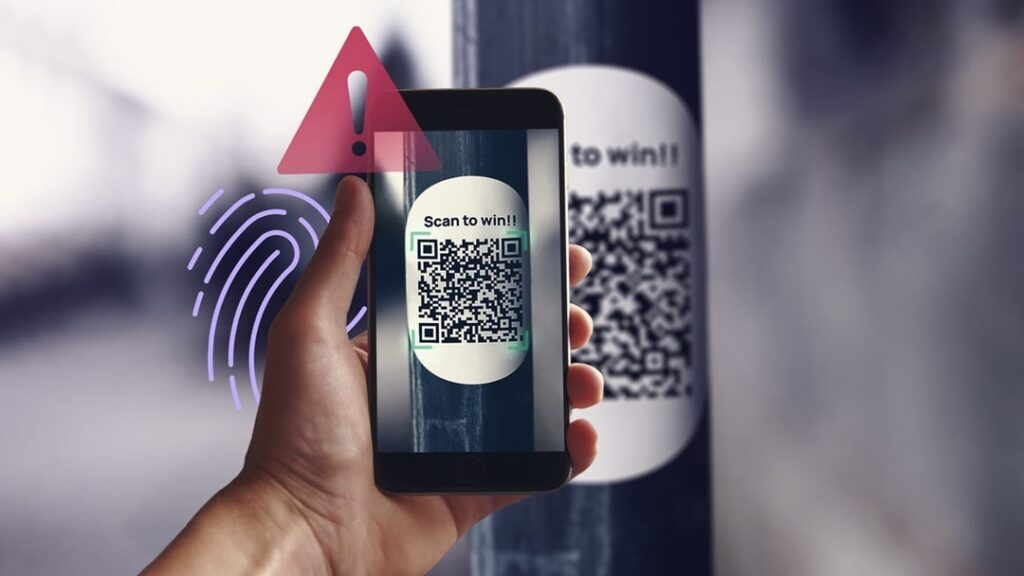
We’ve all been there: at a restaurant table, a concert venue, or even just a bus stop, where a small, unassuming square catches our eye. A QR code. In a world increasingly driven by digital convenience, these little black-and-white mosaics have become ubiquitous, offering instant access to menus, Wi-Fi, event details, or even payment portals. They feel modern, efficient, and harmless.
But what if that convenience is a carefully laid trap?
As a computer security expert, I need to tell you about “Quishing,” a sophisticated new threat that’s turning those innocent-looking QR codes into dangerous gateways for cybercriminals. If you own a PC, a smartphone, or frankly, any internet-connected device, understanding Quishing isn’t just a recommendation; it’s a necessity for navigating the digital world safely in 2025.
Understanding Quishing: The New Phishing Frontier
You’re likely familiar with “phishing”—those deceptive emails or texts that trick you into revealing personal information. Quishing is essentially the same malicious act, but it uses a QR code as the bait instead of a clickable link.
Here’s how it works: A hacker places a malicious QR code in a public space, either by replacing a legitimate code (e.g., swapping out a restaurant’s menu QR with their own) or by simply putting up a new, fake one (e.g., a “free Wi-Fi” QR code in a coffee shop). When you scan this code with your phone, instead of taking you to the intended, safe destination, it redirects you to a fraudulent website.
This fake site could be designed to look exactly like your bank’s login page, a popular online store, or a social media platform. Its sole purpose is to steal your login credentials, credit card numbers, or other sensitive personal data. Once the criminals have this information, they can drain your accounts, commit identity theft, or even install malware on your device without your immediate knowledge. It’s a seamless attack that leverages our trust in visual cues and our desire for instant gratification.
The Hidden Dangers of Malicious QR Codes
The insidious nature of Quishing lies in its ability to bypass many of our usual digital defenses. When you receive a phishing email, you might notice a suspicious sender address or a misspelled word. With a QR code, those visual cues are absent.
Why QR Codes Are a Perfect Weapon for Cybercriminals
First, there’s the element of visual trust. A QR code looks official and neutral. We scan them without thinking twice, assuming the embedded link is legitimate. Unlike a suspicious-looking URL in an email, the destination URL isn’t visible until after you scan it. This delay is precisely what cybercriminals exploit.
Second, QR codes often invoke a sense of urgency or convenience. Scan this for a discount! Scan this to pay quickly! This pressure encourages hasty action, overriding our natural caution
Third, the ease of deployment is a major factor. It costs virtually nothing for a criminal to print out dozens of fake QR code stickers and place them over legitimate ones in high-traffic areas. The return on investment for them can be astronomical if even a few people fall for the trap.
Finally, and most critically for the average PC owner, scanning a malicious QR code on your phone can bridge the gap to your PC’s security. If you’re logged into the same cloud services, email, or even use password managers that sync across devices, compromising one can compromise them all. Imagine scanning a code that leads to a fake Google login, and suddenly, every account linked to that Google profile—including those accessed from your desktop—is at risk.
Protecting Your PC and Personal Data from Quishing Attacks
The good news is that protecting yourself from Quishing doesn’t require advanced technical skills. It primarily involves adopting a few conscious habits.
Always Be Suspicious: The Golden Rule of Digital Security
Before you ever point your phone at a QR code, pause and ask yourself a few questions. Is this code genuinely placed by a reputable source? Does it look tampered with? Is it in an odd location, or does it promise something too good to be true? If you have any doubt, do not scan it. This fundamental skepticism is your first line of defense.
Verifying the Source: A Crucial Step
Whenever possible, try to verify the source of the QR code. If it’s for a restaurant menu, ask a staff member if it’s the official code. If it’s for an event, check the event’s official website for a link or their own QR code. Never rely solely on a physically placed code in a public, uncontrolled environment. Think of it like checking a door for a lock—you wouldn’t just walk into any open door, so don’t just scan any open-ended QR code.
Inspect the URL: Your Post-Scan Defense
After you scan a QR code, before you enter any information, carefully inspect the URL in your browser. Look for:
- HTTPS: Ensure the website address begins with “https://” (the ‘s’ stands for secure). While not foolproof, its absence is a major red flag.
- Domain Name: Does the domain name exactly match the expected company or service? For example, if you scanned a code for your bank, say “MyBank,” the URL should be “mybank.com,” not “mybank-login.net” or “mybank.info.” Typos or extra words are immediate warning signs.
- Grammar and Spelling: Check the website content itself. Legitimate companies rarely have glaring grammatical errors or misspellings.
If anything looks off, close the browser immediately. Do not proceed, and do not enter any information.
Utilize Security Software: A Digital Shield
While behavioral changes are paramount, robust security software on your smartphone and PC provides an essential layer of protection. Many modern antivirus suites for Android and iOS devices now include web protection that can detect and block known malicious websites, even if you accidentally scan a Quishing code. Similarly, having up-to-date antivirus and anti-malware on your PC can protect you if credentials stolen via Quishing are then used to try and access your accounts from a desktop.
Keep Software Updated: Patching the Vulnerabilities
Ensure your phone’s operating system, your PC’s operating system (Windows, macOS), and all your applications (especially web browsers and security software) are kept up to date. Software updates often include critical security patches that close vulnerabilities cybercriminals might exploit. An outdated system is an open invitation for an attack, even if the initial vector was a simple QR code.
The Future of QR Codes and Your Security
QR codes are not inherently dangerous, and they offer genuine convenience. They are an integral part of our digital ecosystem now. However, like any widely adopted technology, they become a target for those with malicious intent.
As we move further into 2026, expect Quishing to become even more sophisticated. Criminals will likely employ more convincing fake websites, integrate more advanced social engineering tactics, and find new ways to bypass initial browser warnings. This means your vigilance will need to evolve as well.
The responsibility for your digital safety ultimately rests with you, the PC owner. By understanding the threat of Quishing, adopting a healthy skepticism, and implementing smart security practices, you can continue to enjoy the convenience of QR codes without falling victim to their darker side. Stay curious, stay vigilant, and scan safely.